OK: Social Network
- 4.3
- Rating
- 100.00M
- Installs
- Free
- Price

 Analysis by App-foxy
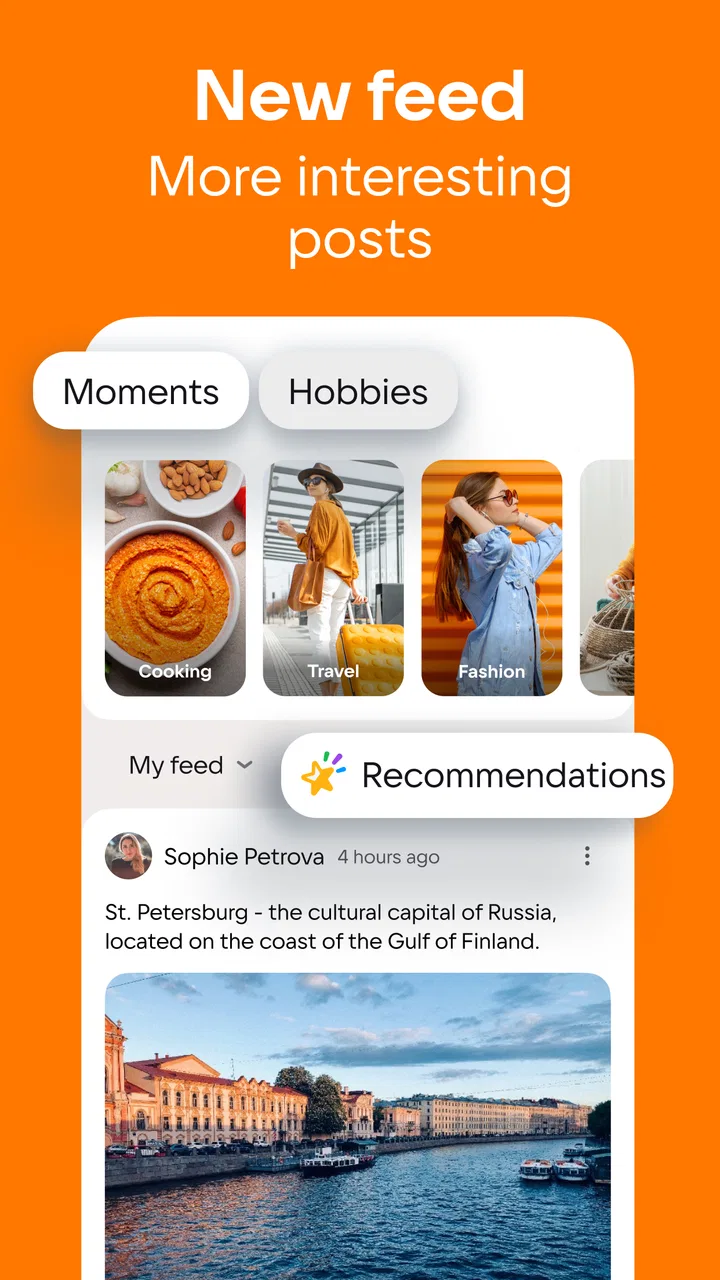
I spent time with OK: Social Network as a way to stay connected through communities, groups, video, and everyday updates rather than treating it as just another messaging tool. Its main appeal is simple: it brings people with shared interests into one social space, while also giving you a feed for photos, short moments, films, and other video content. That combination makes it feel broader than a private chat app, but more community-focused than a basic photo-sharing service.
OK is a free social app from VKL, available for Android devices running version 7.0 or later. It is rated for Teen users, and its long history matters here: it has been around since Mar 20, 2012, so the experience feels built around an established social network rather than a newly launched trend platform. The current version is 26.5.28, and the app has passed over 100 million installs with an average score of 4.3 from around 2.9 million ratings. Those figures do not automatically make it right for everyone, but they do show that OK has a substantial audience to connect with.
Communities are the feature that gives OK its character
The capability I found most important is the way OK brings friends, communities, and groups together. A social feed can become noisy very quickly, especially when it mixes personal posts with recommended videos and public content. Groups give the experience a more defined center. Instead of opening the app only to see whatever happens to be popular, I can use communities to follow topics, conversations, or people that match my interests.
You May Also Like

 AccuWeather: Weather Radar
AccuWeather Review: A Quick, Clear Forecast for Everyday Decisions
For everyday plans, the best forecast is the one you can understand quickly. AccuWeather makes rain timing, radar, and local conditions easy to act on, with a few trade-offs.

 Hill Climb Racing
Why Hill Climb Racing Still Turns Crashes Into One More Run
A tiny car, a bumpy hill and one more upgrade: Hill Climb Racing keeps resurfacing because its simple chaos makes every near-miss feel personal.

 AliExpress - Shopping App
AliExpress Makes Global Shopping Feel Personal, but Shoppers Bear the Risk
AliExpress turns a global marketplace into a pocket-sized discovery engine. Its reach is useful, its shopping loop compelling, and its trade-offs easy to miss.

 Lords Mobile: Kingdom Wars
Lords Mobile Is a Kingdom-Building Routine, Not a Quick Match
A case-by-case verdict on the building, battles, device demands, and social commitments that make Lords Mobile rewarding for some players and exhausting for others.

 PDF Scanner app - TapScanner
TapScanner Makes Paperwork Easier to Capture, Check, and Share
TapScanner makes scanning with a phone feel less like a rescue operation and more like a dependable step in getting work done. Its capture tools are useful, though not flawless.

 Block Blast!
 Shows How Much a Puzzle Game Can Leave Out
A quiet grid game shows why puzzle players increasingly value instant clarity, repeatable skill and low-pressure play—and where the genre still needs to catch up.
More From Our News Desk
View All News


This makes OK particularly useful for users who enjoy social discovery but still want some sense of belonging. A group can be more practical than a general feed when I am looking for conversations around a hobby, local interest, entertainment topic, or shared background. The value is not only in reading posts. It comes from having a place where the same kind of discussion can continue instead of disappearing beneath unrelated updates.
I also like that the social side is connected to video and films. That creates a different rhythm from an app focused only on status updates. I can move from a discussion to something visual without leaving the same service. For casual use, that is convenient. I do not have to decide whether I am opening a community app or a video app first; OK supports both kinds of browsing in one account.
There is a trade-off, though. A wider range of content means more distractions. If I open the app with one small task in mind, such as checking a group post, it is easy to continue into videos or other recommendations. I would not describe this as a flaw unique to OK, but it is especially noticeable when the app is being used for both conversation and entertainment. The more communities I follow, the more important it becomes to be selective about what deserves attention.
What groups change compared with a normal social feed
In my experience, groups work best when I treat them as separate rooms rather than as extra accounts to follow. I look for communities that have a clear purpose and then pay attention to whether the conversations remain useful. A group with a focused theme can make the feed feel more personal, while a large, loosely organized community may produce a faster stream of posts without much depth.
This is one of the app's less obvious strengths: it can serve both lightweight browsing and repeated participation. I might visit a group only occasionally to see what has changed, or I might return regularly because the discussion gives me a reason to open the app. That flexibility is more meaningful than simply having a long list of categories.
It also affects how I would recommend OK to different people. Someone who mostly wants direct messages may find the community layer unnecessary. Someone who enjoys seeing what other people are discussing, sharing, and watching is more likely to appreciate the structure. The app is at its best when social interaction is not limited to a small circle of close contacts.
How the experience works in everyday use
My usual pattern is to start with the feed, notice an update that interests me, and then decide whether to respond, explore the related community, or switch to video. That movement between formats is smooth in concept because everything belongs to the same social environment. I do not need a separate service for every kind of content, which is helpful when I am checking the app briefly during a break.
A realistic example would be an evening when I want to keep up with friends but do not want a long conversation. I can look through recent moments, react to something personal, then spend a few minutes watching a film or video. If a topic catches my attention, I can continue into a group and see whether other users are discussing it. This is a more relaxed use case than opening a dedicated work chat, and it suits people who want their social time to include both interaction and passive viewing.
The same flexibility can make the app feel less focused than alternatives built around one activity. A messaging-first service is usually better when I need quick, private coordination. A video-first platform is usually better when my only goal is finding and watching video. OK makes more sense when I want those activities connected to a social identity and community network.
I would also recommend setting a personal routine before the feed becomes too demanding. For example, I might check direct social updates first, then visit selected groups, and leave video browsing until the end. That small habit helps preserve the useful part of the app without allowing entertainment content to take over the whole session. It is a practical way to get more from OK without treating every notification as urgent.
Video and films add convenience, but they change the pace
The video and film side gives OK a strong casual-entertainment angle. I can use it when I want something to watch without opening a separate platform, and the social context can make recommendations feel less isolated. A friend’s activity or a community discussion may give a video more relevance than a random suggestion would have.
Still, I would not choose OK as my first option if I wanted the deepest possible viewing tools or a highly specialized catalog experience. A dedicated video service generally makes more sense for someone who cares mainly about discovery, subscriptions, playback habits, or a carefully organized watchlist. OK is more appealing when watching is one part of a larger social visit.
That distinction is important for expectations. The app is not merely a place to post updates, but it is also not best understood as a replacement for every specialized social or entertainment service. Its advantage is the combination. I can move between people, groups, and media in a way that feels natural for informal browsing.
The best scenario for using OK
The strongest scenario I can imagine is someone who wants to maintain a broad social circle while also following communities built around shared interests. This could be a person who enjoys checking friends’ moments, joining discussions, and watching videos in the same session. The app is especially suitable when social activity is more about keeping in touch and discovering content than managing a small number of precise conversations.
It can also work well for users who do not want to build their online life around short, rapidly changing posts alone. Groups provide a reason to return to a subject, and the mix of personal and public content gives the experience more variety. I found that useful when I wanted a social app that offered something to browse even when none of my close contacts had posted recently.
Another practical use is reconnecting with a wider network. Not every relationship fits into a private chat. Some people prefer occasional reactions, shared moments, or group participation instead of constant one-to-one messaging. OK supports that lighter form of contact. I can remain visible and involved without needing to start a separate conversation with everyone I know.
For families and younger users, the Teen content rating is worth keeping in mind. It signals that the app is intended for adolescent and older audiences rather than very young children. I would still encourage parents and guardians to discuss sensible social-media habits, because a community-based service depends on how users interact, what they follow, and how much time they spend browsing.
A useful workflow for avoiding feed overload
My practical advice is to build the experience around a small number of meaningful communities instead of following everything that looks interesting. Once the feed becomes too broad, the app's best feature can become its biggest source of friction. A focused selection makes it easier to notice useful discussions and reduces the feeling that every visit is an endless stream.
I would also separate active participation from passive watching. If I open OK to reply to a group, I try to do that before moving into videos. If I open it only for entertainment, I accept that I am using it differently and avoid expecting the same session to be productive. This sounds simple, but it helps because the app combines two very different kinds of attention.
For people who receive many updates, another sensible approach is to review which communities genuinely lead to interaction. A group that seemed appealing at first may not remain relevant. Leaving or ignoring less useful spaces can make the remaining feed feel much more personal. The benefit is not a hidden button or a complicated setting; it comes from treating the feed as something to curate rather than something to consume without limits.
Where the trade-offs become noticeable
The main limitation is the same feature that makes OK attractive: it combines a lot of social activity in one place. Friends, communities, moments, videos, and films can compete for attention. I sometimes found myself browsing without a clear destination, which is enjoyable in moderation but inefficient when I only wanted one update.
There is also a difference between a large audience and a close community. OK has an average rating of 4.3 and around 2.9 million ratings, so its broad reach is clear, but a large network does not guarantee that every group will feel active or relevant to me. The quality of the experience depends heavily on the communities I choose and the people I already know there.
The free price makes the app easy to try, but in-app purchases range from $0.49 to $17.99 per item. I would keep that in mind if I were handing the device to a younger user or trying to keep all social-media spending at zero. The core appeal is accessible without an upfront charge, yet optional purchases mean it is still sensible to review account and device controls before regular use.
Compared with a private messenger, OK is less direct. Compared with a photo-centered network, it places more emphasis on groups and a wider mixture of media. Compared with a dedicated video service, it offers more social context but a less specialized purpose. None of those differences makes it universally better. They simply show that OK is designed for people who want several forms of social activity to overlap.
I would skip it if I want a quiet, minimal feed, a strictly private communication tool, or a service devoted almost entirely to professional networking. I would also look elsewhere if my priority is advanced media organization rather than community participation. OK makes its strongest case when I value variety and connection more than a tightly controlled, single-purpose interface.
Who gains the most from this social network
OK is a good fit for people who enjoy communities as much as individual contacts. It suits casual users who want to see what friends are sharing, follow group conversations, and watch videos or films without switching between several apps. It is also a reasonable choice for someone returning to social networking after a break and looking for a broad, established environment rather than a narrowly focused new platform.
The app may be less satisfying for users who measure quality by simplicity. If I want one clean timeline with minimal recommendations, the combination of formats can feel busy. If I want fast coordination with a few trusted contacts, a messaging app will usually be more efficient. The right decision depends on whether I see social media mainly as communication, entertainment, or community browsing.
VKL has kept the product relevant across a long period, and the current version shows that it remains actively maintained as a modern social app. I appreciate that OK does not force me to choose between personal updates and group discovery. At the same time, I would use it deliberately, because its broad mix of content can easily turn a short check-in into a much longer session.
Overall, I recommend OK to anyone who wants community-based social discovery with video and everyday sharing in the same place. Its most valuable quality is not any single feed or media format; it is the way groups give the wider network a sense of direction. Start with a few communities, decide how much video browsing you actually want, and keep an eye on optional purchases. Used that way, the free app offers a flexible social space that feels most rewarding when I want to stay connected without limiting myself to one kind of interaction.
FAQs for OK: Social Network
01What features does OK: Social Network offer?
OK: Social Network provides a variety of features designed to enhance your social experience. Users can connect with friends, share posts, and participate in live video chats. It also includes interest-based groups, events, and an integrated marketplace for buying and selling items. The app's user-friendly interface makes navigating these features a breeze.
02Is OK: Social Network free to use?
Yes, OK: Social Network is free to download and use. However, it offers optional in-app purchases for premium features, which can enhance your experience by providing additional customization options and ad-free browsing. These purchases are entirely optional, and the app remains fully functional without them.
03How does OK: Social Network ensure user privacy?
OK: Social Network takes user privacy seriously, implementing robust security measures to protect personal data. Users have control over their privacy settings, allowing them to choose what information is shared and with whom. The app adheres to strict data protection regulations, ensuring that your information is kept safe.
04Can I use OK: Social Network on multiple devices?
Yes, you can access OK: Social Network on multiple devices. By logging in with your account details, you can seamlessly switch between your smartphone, tablet, or computer, ensuring you stay connected wherever you are. This cross-platform compatibility makes it convenient for users who are always on the go.
05What kind of content can I share on OK: Social Network?
OK: Social Network allows you to share a wide range of content, including text updates, photos, videos, and links. Users can also create and join groups based on specific interests, participate in live video sessions, and engage with content through likes and comments. The app encourages diverse and vibrant interactions among its community members.
Pros
- User-friendly interface and design.
- Strong privacy and security features.
- Real-time messaging and updates.
- Customizable notification settings.
- Diverse content sharing options.
Cons
- Limited international reach.
- Occasional app crashes reported.
- Some features require premium.
- High battery usage with frequent use.
- In-app ads can be intrusive.

OK: Social Network
Gallery